What happens next
Start with one Microsoft 365 tenant
Sign up for the Free plan to see your tenant's security score and top findings.
You sign in with Microsoft, complete administrator consent, run the first scan and review the findings. Consent and the scan happen after sign-in.
Already have an account? Sign in
Managing customers? Start as an MSP
You authenticate on Microsoft's own secure login page (login.microsoftonline.com). TenantVigil never sees or stores your password, and the requested access is visible for review in Microsoft before you approve it. TenantVigil is an independent product and is not affiliated with Microsoft Corporation.
Sign in with Microsoft
Use your Microsoft 365 work account so TenantVigil can identify the tenant and start the right onboarding.
Complete administrator consent
A Global Administrator or Privileged Role Administrator reviews the requested Microsoft Graph permissions and approves read access to the tenant's configuration.
Run the first scan
TenantVigil reads configuration across Entra ID, Exchange, SharePoint, Teams, Defender and Intune to build the first baseline.
Review your findings
You see a security score, prioritized findings and next steps for the tenant.
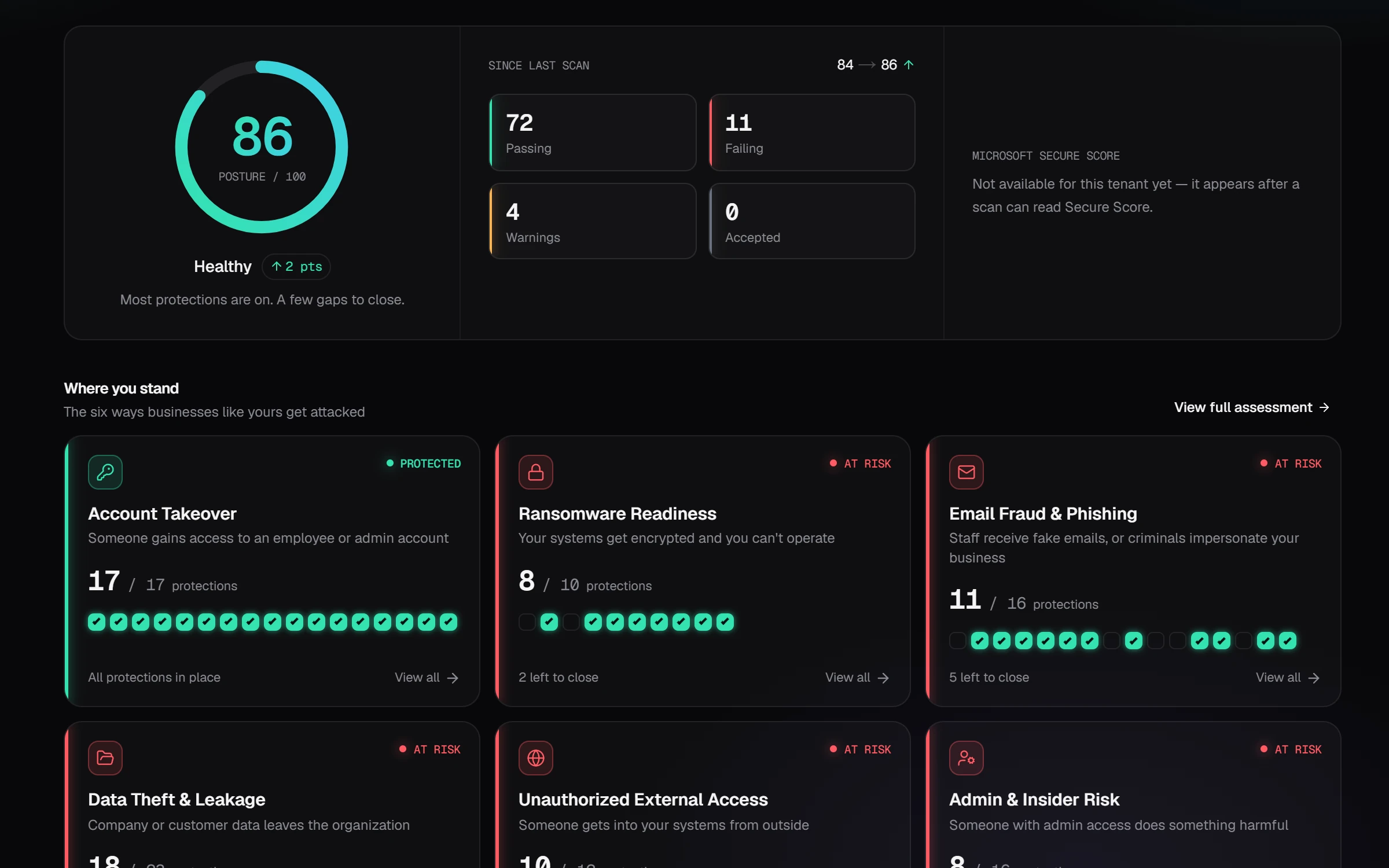
Customer overview
An example customer overview with 94 security checks, using sample data.
One organisation
Free plan for one Microsoft 365 tenant
Sign in with Microsoft, complete administrator consent, run the first scan and review the tenant's security score and top findings.
Continue with MicrosoftManaging customers?
Start as an MSP
Connect customer tenants through administrator consent, then review scans, assign service work and produce reports.
Start as an MSPSecurity and privacy expectations